
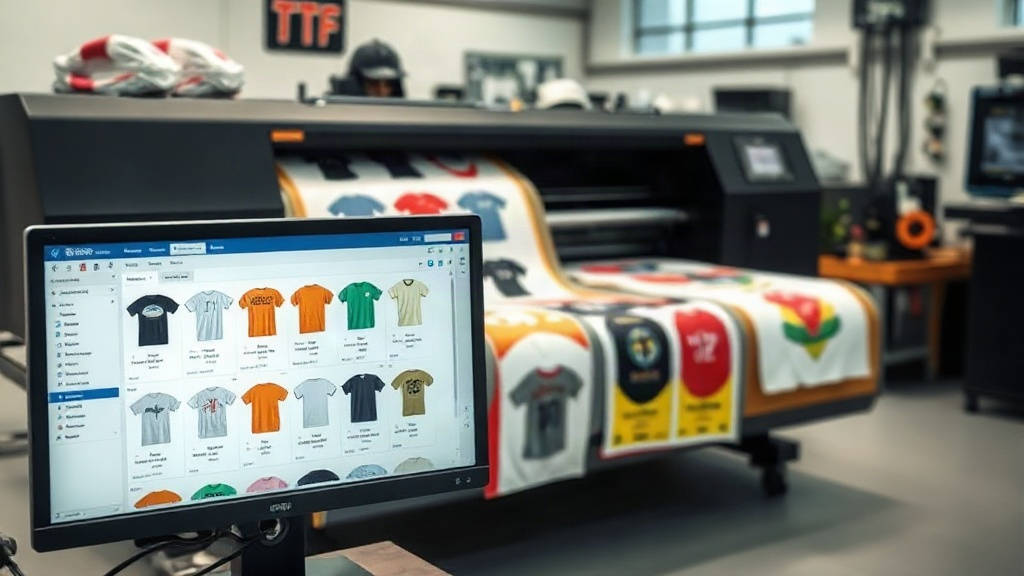
If you're in the custom apparel business, you've likely heard about DTF printing. It's a game-changer for producing vibrant, durable transfers on various fabrics. But as your orders grow, manually arranging designs on transfer film becomes a bottleneck. That's where a DTF gangsheet builder comes in. This tool lets you combine multiple designs into a single sheet, maximizing film usage and slashing production time. In this guide, we'll explore how a DTF gangsheet builder works, why it's essential for your shop, and how to use it like a pro.
What is a DTF Gangsheet Builder?
A DTF gangsheet builder is software that helps you arrange multiple DTF transfer designs onto a single sheet of film. Think of it as a digital layout tool specifically for DTF printing. Instead of printing each design individually, you nest them together efficiently, minimizing wasted space. The result? A "gangsheet" packed with transfers, ready to print in one go.
Most gangsheet builders offer drag-and-drop interfaces, automatic nesting algorithms, and real-time cost calculations. Some even integrate with your e-commerce platform to pull orders directly. The goal is simple: print more with less film and less hassle.
Why You Need a DTF Gangsheet Builder
If you're still manually placing designs in a graphics program, you're likely wasting time and money. Here's why a dedicated builder is a smart investment.
Save Time and Reduce Errors
Manually arranging dozens of designs is tedious and prone to mistakes. A DTF gangsheet builder automates the layout process. You upload your designs, set the sheet size, and let the software do the rest. It can rotate, scale, and position each element for optimal fit. This cuts prep time from hours to minutes and eliminates costly misprints.
Cut Material Costs
DTF film isn't cheap. By nesting designs tightly, you use less film per transfer. Over hundreds of prints, those savings add up. Many builders show you exactly how much film you're using and estimate your cost per transfer, so you can price jobs accurately.
Scale Your Production
When you can produce more transfers in less time, you can take on larger orders. A gangsheet builder helps you batch similar jobs together. For example, if you have 50 t-shirt orders with different designs, you can gang them all onto one or two sheets instead of printing 50 separate sheets. That's a massive efficiency gain.
Key Features to Look for in a DTF Gangsheet Builder
Not all builders are created equal. Here are the features that matter most for a production environment.
- Automatic Nesting: The software should intelligently arrange designs to minimize waste, considering rotation and spacing.
- Sheet Size Customization: You should be able to define custom sheet dimensions to match your printer's capabilities and film rolls.
- Design Library: A built-in library to store and reuse your designs saves time on repeat orders.
- Cost Calculator: Real-time cost estimation based on film and ink usage helps with pricing and profitability analysis.
- Integration: If you sell online, look for integration with platforms like Shopify or Etsy to import orders automatically.
- Export Options: The builder should export a print-ready file (usually PNG or TIFF) at the correct resolution and with proper color separation.
How to Use a DTF Gangsheet Builder: Step-by-Step
Using a gangsheet builder is straightforward, but following a few best practices ensures optimal results.
- Prepare Your Designs: Ensure each design is in a high-resolution PNG with transparent background. Check that colors are in CMYK or RGB as required by your printer.
- Set Your Sheet Size: Enter the width of your film roll and the desired length. Common widths are 13", 17", and 24". The length can be as long as your printer allows.
- Upload Designs: Drag and drop your files into the builder. The software will automatically place them, but you can adjust positions manually if needed.
- Optimize Layout: Use the auto-nest feature to rearrange designs for the tightest fit. Pay attention to spacing; leave at least 1/8" between designs to avoid cutting errors.
- Review and Export: Preview the gangsheet. Check for any overlaps or cutoff areas. Once satisfied, export the file in the required format (typically PNG at 300 DPI).
- Print and Cure: Print the gangsheet on your DTF printer, apply hot melt powder, and cure according to your powder and film specifications.
Pro tip: Always run a test print of a new gangsheet layout on plain paper to check alignment before using expensive film.
Common Mistakes to Avoid with DTF Gangsheets
Even with a builder, some pitfalls can ruin your output. Watch out for these:
- Insufficient Spacing: Designs too close together can bleed into each other during cutting or pressing. Leave a safe margin.
- Inconsistent Design Sizes: If you're ganging designs of different sizes, ensure they are all scaled correctly. A builder can help, but double-check.
- Forgetting About Color Profiles: DTF printers use specific ICC profiles. Make sure your designs are in the correct color space to avoid dull or off-color prints.
- Overlooking Film Direction: Some films have a printable side. Always load the film correctly, or you'll waste a whole sheet.
Maximizing Efficiency: Advanced Tips
Once you're comfortable with the basics, these advanced strategies can further streamline your DTF printing.
Batch Similar Jobs
Group orders by fabric type or color to minimize printer adjustments. If you have multiple orders for white shirts, gang them together and print in one session.
Use Templates
Create templates for common gangsheet sizes. For example, a template for a 13"x36" sheet with standard spacing can be reused, saving setup time.
Monitor Ink and Powder Usage
Keep track of how much ink and powder each gangsheet consumes. This data helps you price accurately and identify waste. Some builders provide these metrics automatically.
Invest in a Dedicated DTF Printer
While you can use a converted inkjet printer, a dedicated DTF printer with a powder shaker and curing oven will dramatically increase your throughput. It's a bigger investment but pays off in speed and quality.
Frequently Asked Questions
What is the maximum sheet size I can create with a DTF gangsheet builder?
The maximum size depends on your printer and film roll width. Most builders allow you to set custom dimensions up to the width of your film (commonly 13", 17", or 24") and any length your printer can handle. Some industrial printers support widths up to 60".
Can I use a DTF gangsheet builder with any DTF printer?
Yes, as long as the builder exports a file format your printer's RIP software accepts. Most builders export PNG or TIFF, which are widely compatible. However, some printers come with proprietary software that may have its own gangsheet features.
How much can I save by using a DTF gangsheet builder?
Savings vary based on your volume and design sizes. Typically, users report 20-30% reduction in film waste and significant time savings. The exact savings depend on how efficiently you can nest designs manually versus using automation.
Is a DTF gangsheet builder difficult to learn?
Most builders are user-friendly with intuitive drag-and-drop interfaces. If you're familiar with basic graphic design software, you'll pick it up quickly. Many providers offer tutorials and support to help you get started.
Do I need a gangsheet builder if I only print a few transfers a week?
If your volume is very low, you might not need a dedicated builder. However, even occasional users can benefit from the time savings and reduced waste. Many builders offer free trials, so you can test one out to see if it fits your workflow.
Conclusion
A DTF gangsheet builder is more than just a convenience; it's a powerful tool that can transform your DTF printing business. By automating layout, reducing waste, and speeding up production, it allows you to take on more orders and increase profitability. Whether you're a small home-based shop or a growing production facility, investing in a good gangsheet builder is a step toward efficiency and professionalism. Start exploring the options today and see the difference it makes in your bottom line.