
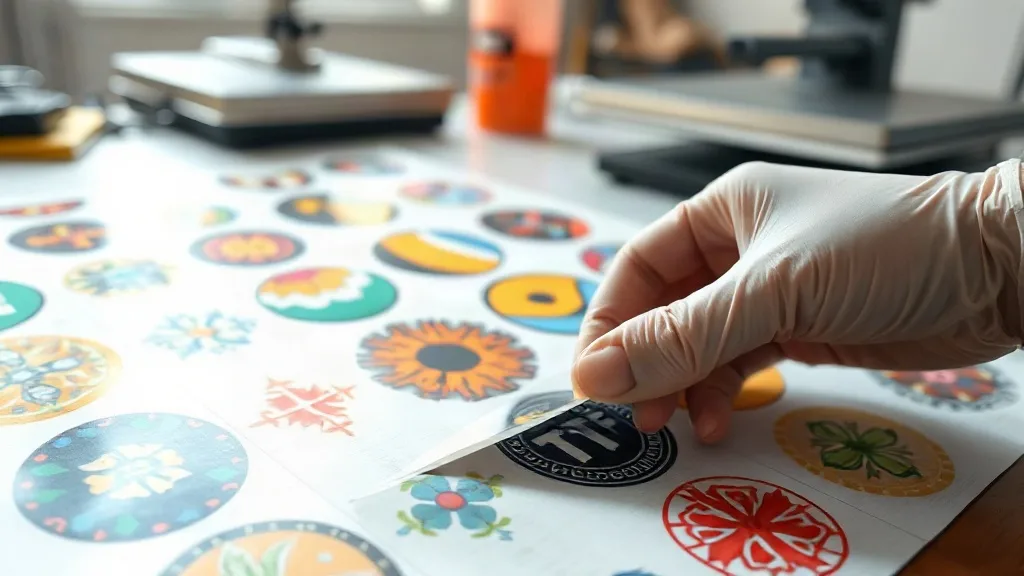
You have spent hours perfecting your artwork, carefully arranging every design on a DTF Gangsheet, and you are ready to press. But then you notice the colors look dull, the edges are ragged, or the transfer cracks after the first wash. These problems often stem from avoidable mistakes that even experienced printers make. In this guide, we will walk through five costly errors that can ruin a DTF Gangsheet and show you exactly how to fix them. Whether you are new to DTF printing or looking to tighten your process, these practical tips will help you save film, reduce rework, and keep your customers happy.
Mistake 1: Ignoring the Importance of File Resolution
One of the most common reasons a DTF Gangsheet fails is low-resolution artwork. When you enlarge a small image to fit your sheet, it becomes pixelated and blurry. The printer may produce a transfer that looks acceptable on screen but shows jagged edges and lost detail when pressed onto fabric. The fix is simple: always start with high-resolution files. Aim for at least 300 DPI at the final print size. If you are using vector files, you can scale them infinitely without loss. For raster images, check the dimensions before adding them to your gangsheet. A quick way to test is to view the image at 100% zoom on your monitor; if it looks blurry, it will print blurry.
Mistake 2: Overcrowding the Sheet Without Proper Spacing
It is tempting to squeeze as many designs as possible onto a DTF Gangsheet to maximize film usage. However, overcrowding without adequate spacing can lead to several problems. First, when designs are too close, the white ink layer may bleed into adjacent images, causing halos or color contamination. Second, cutting becomes difficult and you risk nicking the edges of neighboring transfers. Third, the powder application can be uneven if designs are too close, leading to excess powder in the gaps that can transfer to the press and create a mess. A good rule of thumb is to leave at least 0.25 inches (6 mm) between designs. This allows for clean cutting and ensures each transfer has a crisp border.
Mistake 3: Mishandling the Film During Printing and Powdering
The film itself is delicate, and mishandling it can introduce defects that only appear after pressing. Here are some common film-handling mistakes and how to avoid them:
- Touching the printable side: Oils from your skin can prevent the ink from adhering properly, leading to pinholes or weak spots. Always handle film by the edges or wear nitrile gloves.
- Improper storage: Film stored in humid conditions can absorb moisture, causing the ink to smudge or the powder to clump. Keep film in a cool, dry place and reseal unused rolls.
- Static electricity: In dry environments, static can attract dust to the film, which shows up as specks on the final print. Using an anti-static brush or maintaining humidity levels can help.
- Rushing the powder application: Shaking powder onto the wet ink is not enough; you need to ensure an even coat. Gently rock the film to distribute powder, then shake off excess. A powder shaker with a fine mesh helps control the application.
By treating the film with care, you reduce the risk of subtle flaws that can ruin an entire gangsheet.
Mistake 4: Using the Wrong Press Settings
Even a perfectly printed DTF Gangsheet can fail at the press if the settings are off. Temperature, pressure, and time all play critical roles. Too little heat and the adhesive will not activate, leading to peeling after washing. Too much heat can scorch the fabric or cause the transfer to become glossy and stiff. The recommended settings vary by fabric and transfer type, but a common starting point is 320°F (160°C) for 15 seconds with medium pressure. Always perform a test press on a scrap piece of fabric to dial in the settings. Also, remember to peel the film while it is still warm for best results, unless your film specifies a cold peel. Using a heat press with consistent pressure is key; a home iron will not provide even results.
Mistake 5: Skipping the Quality Check Before Pressing
Many printers skip the step of inspecting the DTF Gangsheet before pressing, only to discover issues after the transfer is on the garment. A quick quality check can save you from wasted blanks and unhappy customers. Before pressing, hold the sheet up to a light source and look for:
- Missing or weak spots: These appear as lighter areas where ink did not transfer properly.
- Excess powder: If you see a hazy or grainy texture, there is too much powder, which can cause a rough feel.
- Color inconsistencies: Check that colors match your design, especially if you are printing multiple sheets.
- Cut edges: Ensure cuts are clean and there are no nicks that could cause the transfer to lift.
If you spot any issues, do not press the transfer. Instead, reprint or adjust your process. This simple step can dramatically reduce rework.
Frequently Asked Questions
How can I prevent my DTF Gangsheet from curling at the edges?
Curling often happens when the film is exposed to humidity or when the powder is applied too heavily. Store film in a dry environment and apply powder sparingly, shaking off excess. Additionally, ensure the film is completely dry before printing.
What is the best way to store a DTF Gangsheet before pressing?
Keep the gangsheet flat in a cool, dry place away from direct sunlight. If you need to stack multiple sheets, place a sheet of parchment paper between them to prevent sticking. Avoid folding or creasing the film.
Can I reuse powder that falls off the film?
It is not recommended to reuse powder that has been exposed to the air, as it may have absorbed moisture or contaminants. Using fresh powder ensures consistent adhesion and print quality.
Why does my DTF transfer feel stiff after pressing?
Stiffness can result from too much powder or excessive heat. Try reducing the powder amount and lowering the press temperature slightly. Also, ensure you are using the correct press settings for the fabric type.
How do I fix a DTF Gangsheet that has missing ink spots?
If you notice missing spots before pressing, you can sometimes touch them up with a fine brush and a small amount of DTF ink, but this is not ideal. It is better to reprint the sheet to ensure quality. Check your printer for clogged nozzles and perform a cleaning cycle.